• Bhangra discussion is still going strong. Join us in our Facebook group!

    New user registration has been closed (as it was entirely spam). We encourage you to post in our Facebook group, even if it's a followup to an existing thread. BTF will continue to be archived and hosted here - Saleem

Computer Speaker Help!

LiLSandhu

Active Member
Messages
1,056
hey guys,
i just got a new computer and for some reason my speakers dont sound good :|
i have a Logitec x-540 5.1 sound system and for some reason only the 2 front speakers work.
these speakers worked great with my old computer but for some reason i cant get em to work properly on this computer.
i have a realtek hd audio manager and my speaker configuration is on stereo rii now
i changed it to the 5.1 speaker configuration but i dont get any sound out of the speakers than :|
i only get sound when it is set to stereo
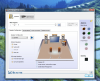
here are some screenshots

if anyone knows how i can fix this please help :)
 

Attachments

H G

Member
Messages
228
I'm pretty sure the x540's have a Matrix button on the mixamp. Try having that selected, then set it to 5.1

I used to have these speakers and the 5.1 was working fine for a while, but after a new computer they got f'ed up too.
 

GSingh

Well-Known Member
Messages
1,469
Its because the 5.1 would only work in windows if you had a true 5.1 setup, ie. seperate plug in for the sub, front, and surrounds. The x540's have only one input jack if I remember correctly so the 5.1 matrix controller is located on the control panel itself (at least it is on a z5500's) so you have to adjust it there.
 

LiLSandhu

Active Member
Messages
1,056
GSingh said:
Its because the 5.1 would only work in windows if you had a true 5.1 setup, ie. seperate plug in for the sub, front, and surrounds. The x540's have only one input jack if I remember correctly so the 5.1 matrix controller is located on the control panel itself (at least it is on a z5500's) so you have to adjust it there.
i have three plugs coming from the sub here all the shits plugged in a green, black and orange.

the green ones for the front speakers
the black ones for the rear speakers
and the orange is for the center speaker and sub

everything's plugged in properly but i still cant seem to get a proper sound out of them :(
 

Basim

♥ BTF ♥
Staff member
Messages
1,459
LiLSandhu said:
GSingh said:
Its because the 5.1 would only work in windows if you had a true 5.1 setup, ie. seperate plug in for the sub, front, and surrounds. The x540's have only one input jack if I remember correctly so the 5.1 matrix controller is located on the control panel itself (at least it is on a z5500's) so you have to adjust it there.
i have three plugs coming from the sub here all the shits plugged in a green, black and orange.

the green ones for the front speakers
the black ones for the rear speakers
and the orange is for the center speaker and sub

everything's plugged in properly but i still cant seem to get a proper sound out of them :(
If you have everything plugged in correctly and your audio driver/panel settings are set to 5.1 sound, then I would make sure the file that you are playing is encoded in a 5.1 audio format or higher (i.e. AC3, DTS, Dolby Digital, etc).

If you're trying to play a song (or whatever else) that is not digitally encoded, it will only play in 2.1 (stereo) format. The only thing that you can do with this is have your speaker system "upmix" or "replicate" the sound to the other speakers. Keep in mind, that will not be true 5.1 surround sound, but a conversion of a 2.1 stereo stream.

Is there some type of "test" button in your audio panel that sends a sound to each individual channel of your speaker system? I would try that first and report back.

~ Basim :)
 

LiLSandhu

Active Member
Messages
1,056
Basim said:
LiLSandhu said:
GSingh said:
Its because the 5.1 would only work in windows if you had a true 5.1 setup, ie. seperate plug in for the sub, front, and surrounds. The x540's have only one input jack if I remember correctly so the 5.1 matrix controller is located on the control panel itself (at least it is on a z5500's) so you have to adjust it there.
i have three plugs coming from the sub here all the shits plugged in a green, black and orange.

the green ones for the front speakers
the black ones for the rear speakers
and the orange is for the center speaker and sub

everything's plugged in properly but i still cant seem to get a proper sound out of them :(
If you have everything plugged in correctly and your audio driver/panel settings are set to 5.1 sound, then I would make sure the file that you are playing is encoded in a 5.1 audio format or higher (i.e. AC3, DTS, Dolby Digital, etc).

If you're trying to play a song (or whatever else) that is not digitally encoded, it will only play in 2.1 (stereo) format. The only thing that you can do with this is have your speaker system "upmix" or "replicate" the sound to the other speakers. Keep in mind, that will not be true 5.1 surround sound, but a conversion of a 2.1 stereo stream.

Is there some type of "test" button in your audio panel that sends a sound to each individual channel of your speaker system? I would try that first and report back.

~ Basim :)
i did the test thing when i have it set to 5.1
I can only hear sound from the 2 front speakers nowhere else
 

Basim

♥ BTF ♥
Staff member
Messages
1,459
Try this:
"To fix it you have to remap the input. So right mouse click on the circles, click on connector retasking, then pick a different speaker out. Then press the play button to get all the speakers to do a sound test, and keep changing the speaker outputs till it matches. Then put in a dvd with 5.1 sound and enjoy. Some videos/audio won't support 5.1, in those cases you have to use thinks like matrix sound."

Here is some more info:
http://answers.yahoo.com/question/index?qid=20080717233005AAjbxIw

If that doesn't work, I'm not really sure, but there are lots of threads that come up when you Google regarding this problem.

~ Basim :)
 
Top